Alelyon for Windows

Everything AI, in one window.

An AI code editor with an agent, local and cloud LLMs, a research assistant and friends. Works offline. Zero telemetry.
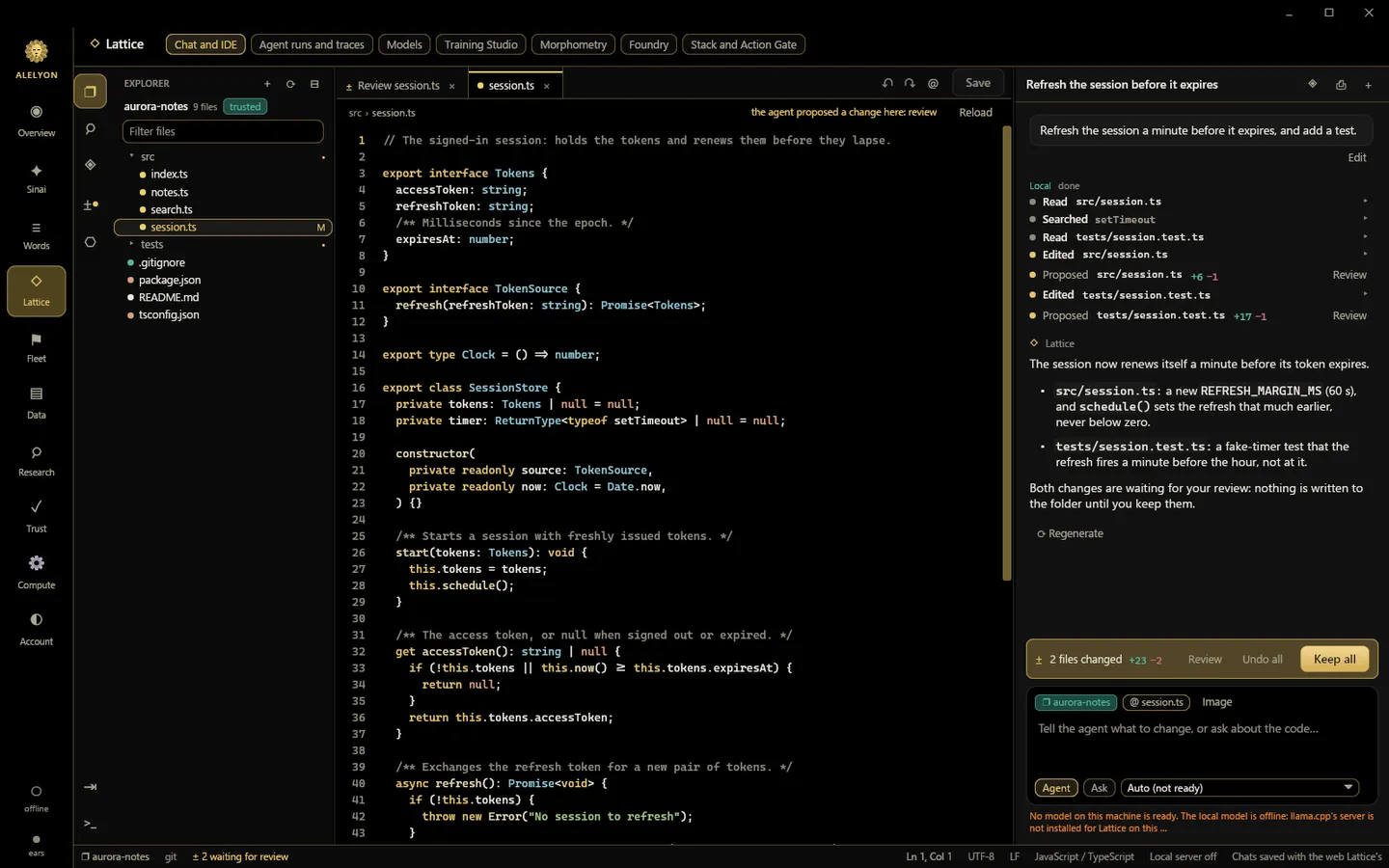
Lattice in the Alelyon app: a demo project open in the editor, a conversation with the agent, and its proposed change to session.ts waiting for review.
Real app screen · demo content · development build, 9 Oct 2026
Product tour

Take the tour.

Narrated in Sinai’s voice · real app screens with demo content · captions on · 1 min
AI code editor

Code with an agent. Keep every decision.

Chat, edit and run in one IDE. Every change waits for your review.
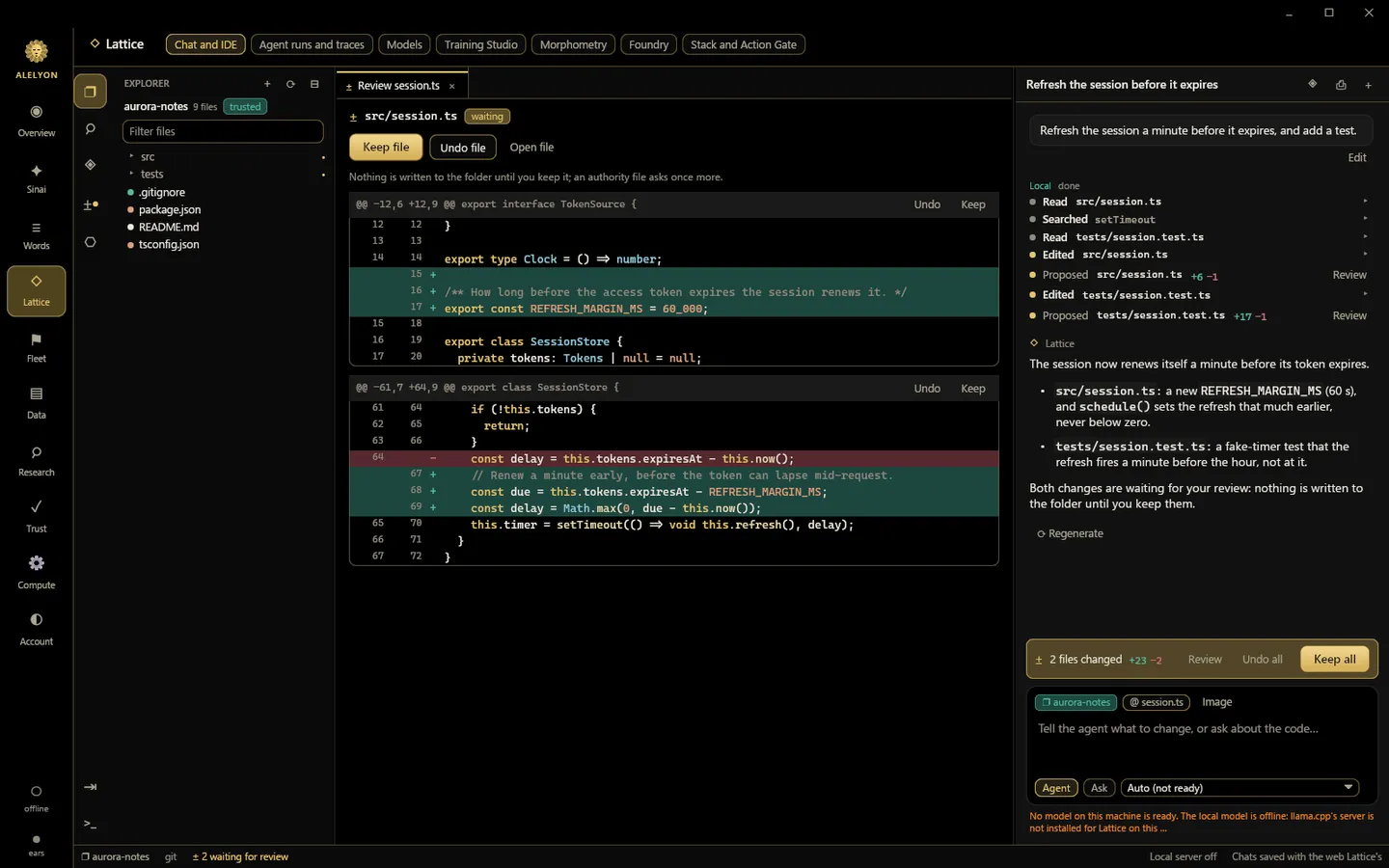
  • Ask, Agent and Plan modes
  • Built-in terminal
  • MCP, skills and plugins
Explore Lattice
The agent’s proposed change to session.ts in review, with Keep and Undo for each part.
Real app screen · demo content · development build, 9 Oct 2026
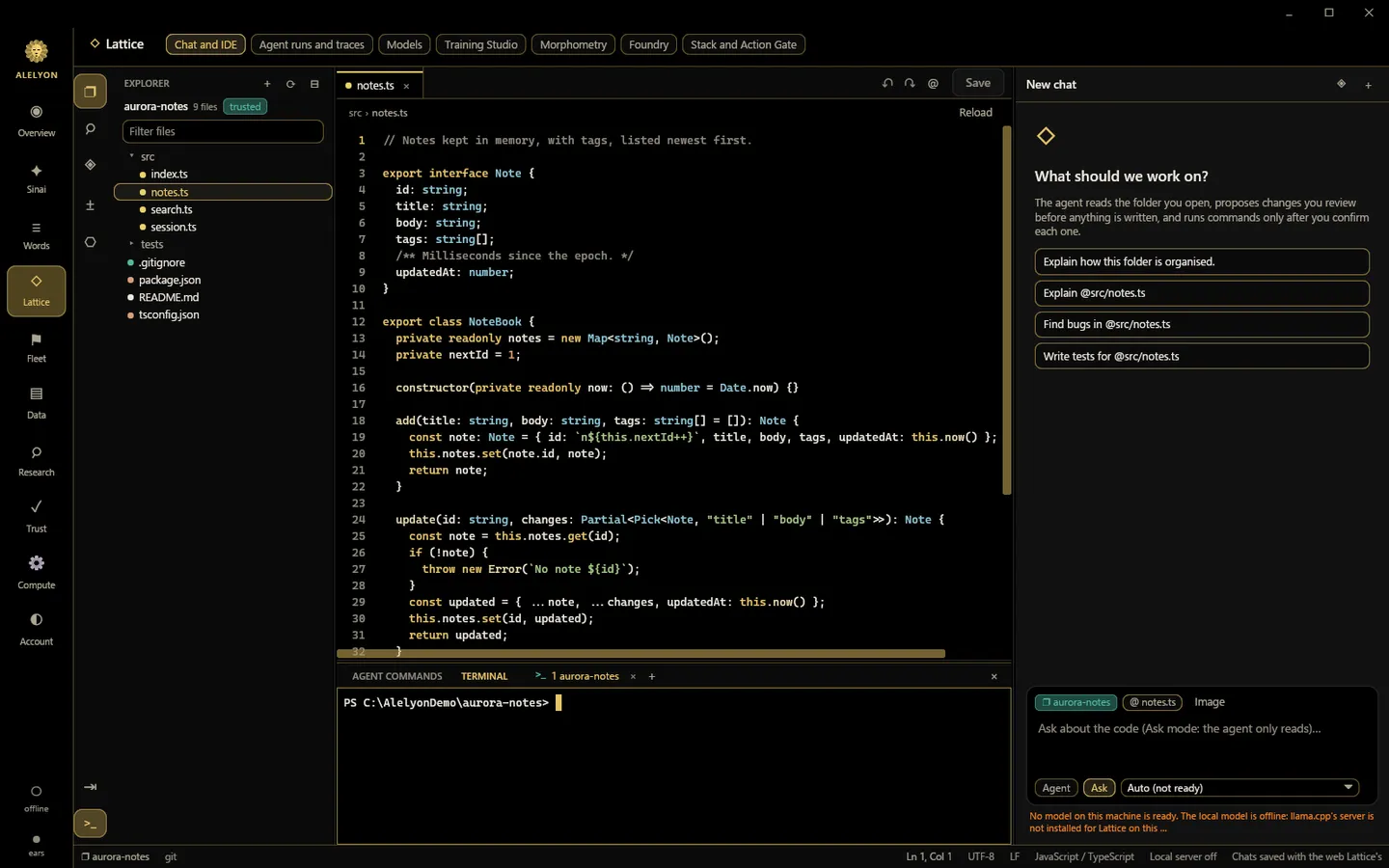
Lattice with src/notes.ts in the editor and Windows PowerShell open in the terminal panel.
Real app screen · demo content · development build, 9 Oct 2026
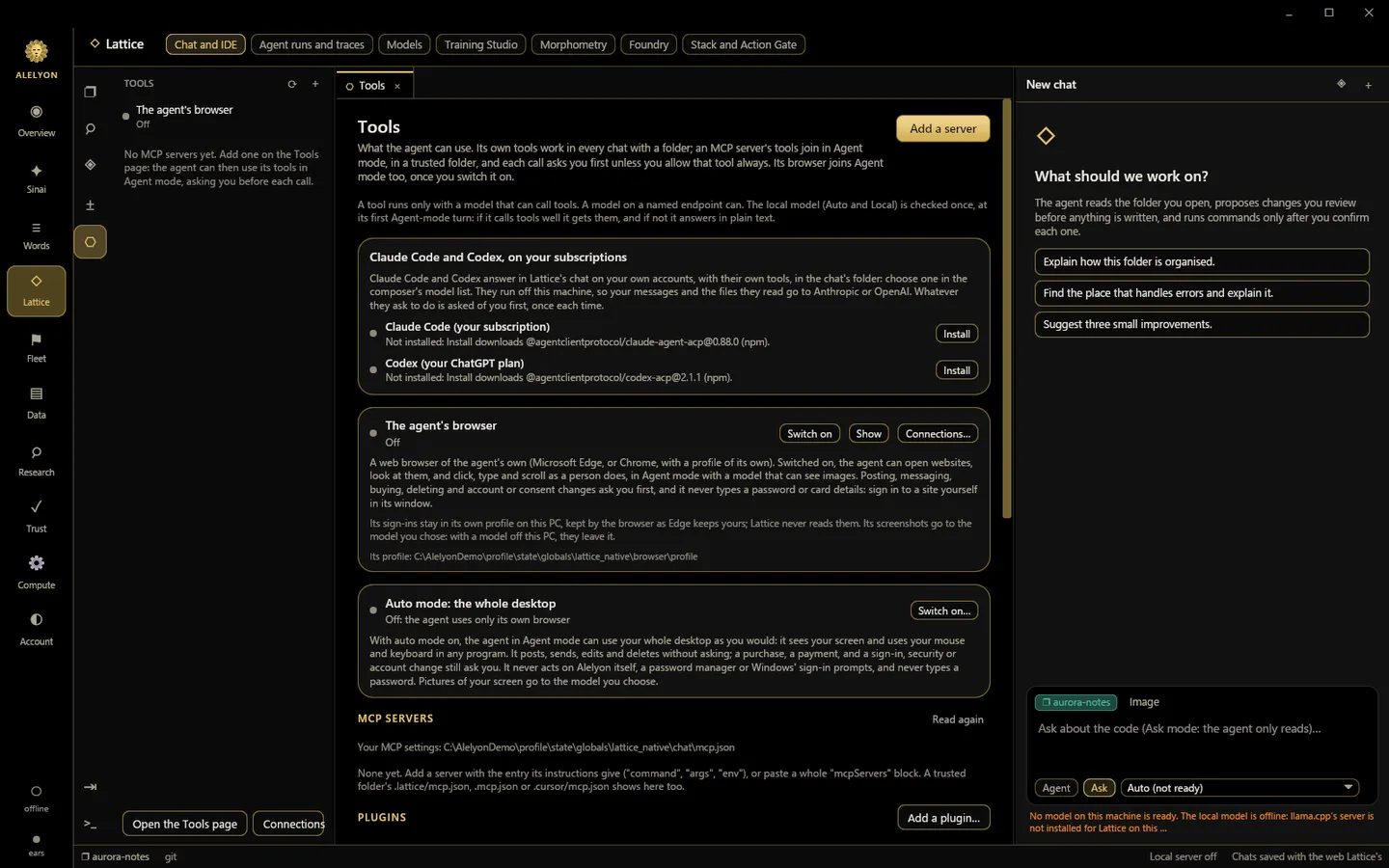
Lattice’s Tools page: Claude Code, Codex, the agent’s browser, auto mode and MCP servers, each off until you switch it on.
Real app screen · demo content · development build, 9 Oct 2026
Local and cloud LLMs

Any model. Your GPU or the cloud.

Run open models on your own GPU, bring your own key, or use the plans you already pay for.

  • llama.cpp on your GPU
  • 7 open-model hosts
  • Claude Code and Codex
Try the models on the web
Where the app's models come fromYour GPU: llama.cpp. Open models · your key: OpenRouter, Hugging Face, Together AI, Groq, Fireworks AI, DeepInfra, Cerebras. Your coding plans: Claude Code, Codex. Alelyon: Alelyon Seed Expert.AlelyonYour GPUllama.cppOpen models · your keyOpenRouterHugging FaceTogether AIGroqFireworks AIDeepInfraCerebrasYour coding plansClaude CodeCodexAlelyonAlelyon Seed Expert
AI research assistant

Map a whole field. Find the gaps.

Collect a subject’s papers from OpenAlex and arXiv, follow the citations, see what is missing.

  • Citation map
  • Gap finder
  • Daily or weekly watch
The lab’s own research
Illustration of a research mapPapers drawn as points and citations as lines, grouped into three threads of a field, with a dashed ring marking a gap between two threads that no paper connects.GapQuantizationKV-cache compressionSparse attention
AI assistant

Meet Sinai, the assistant with a face.

Talk to Sinai through any model you choose while its own mind is in training.
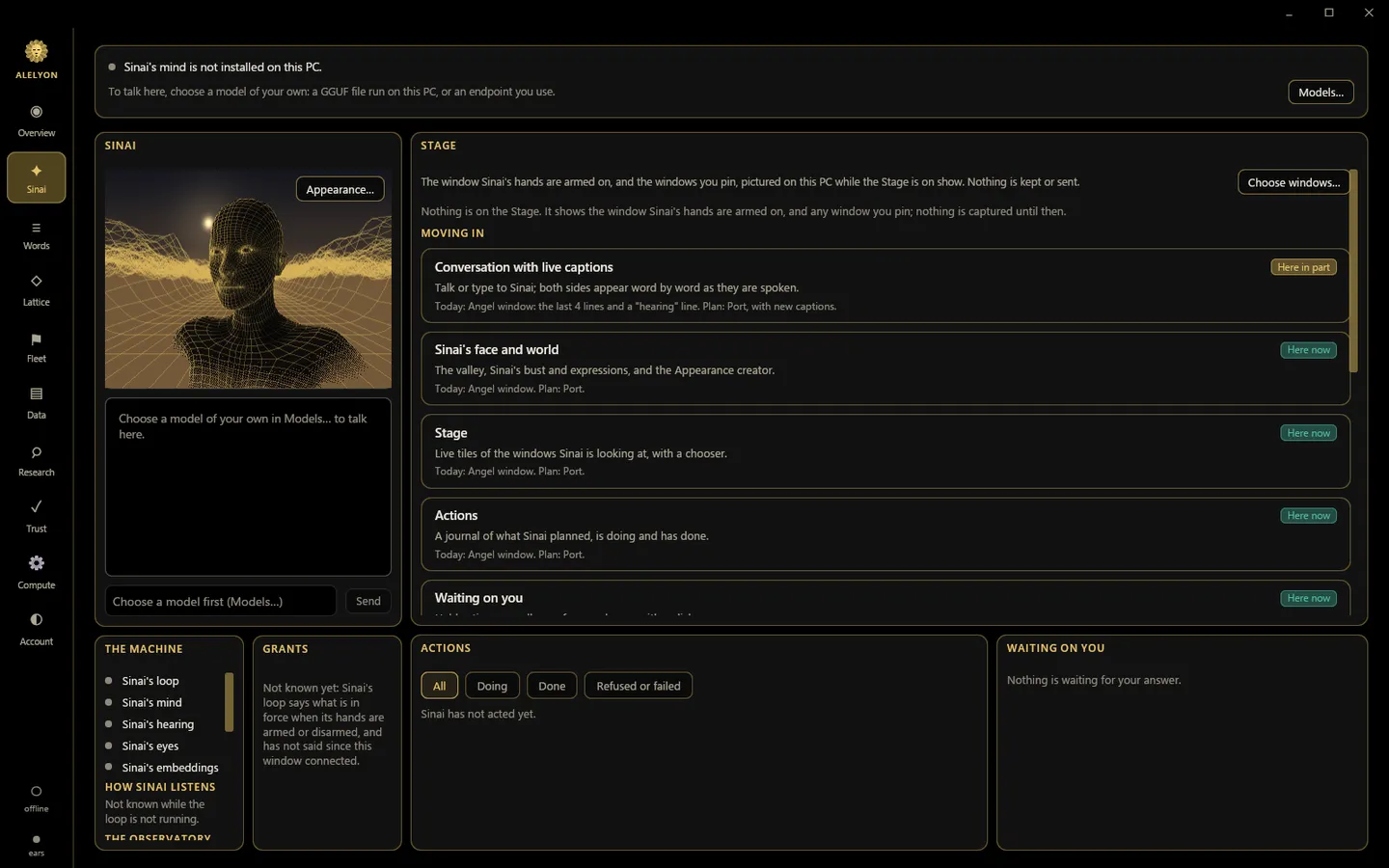
  • Speaks its answers
  • Microphone always shown
  • Design its face
Sinai’s page in the Alelyon app: its gold wireframe face, with no mind installed yet.
Real app screen · demo content · development build, 9 Oct 2026
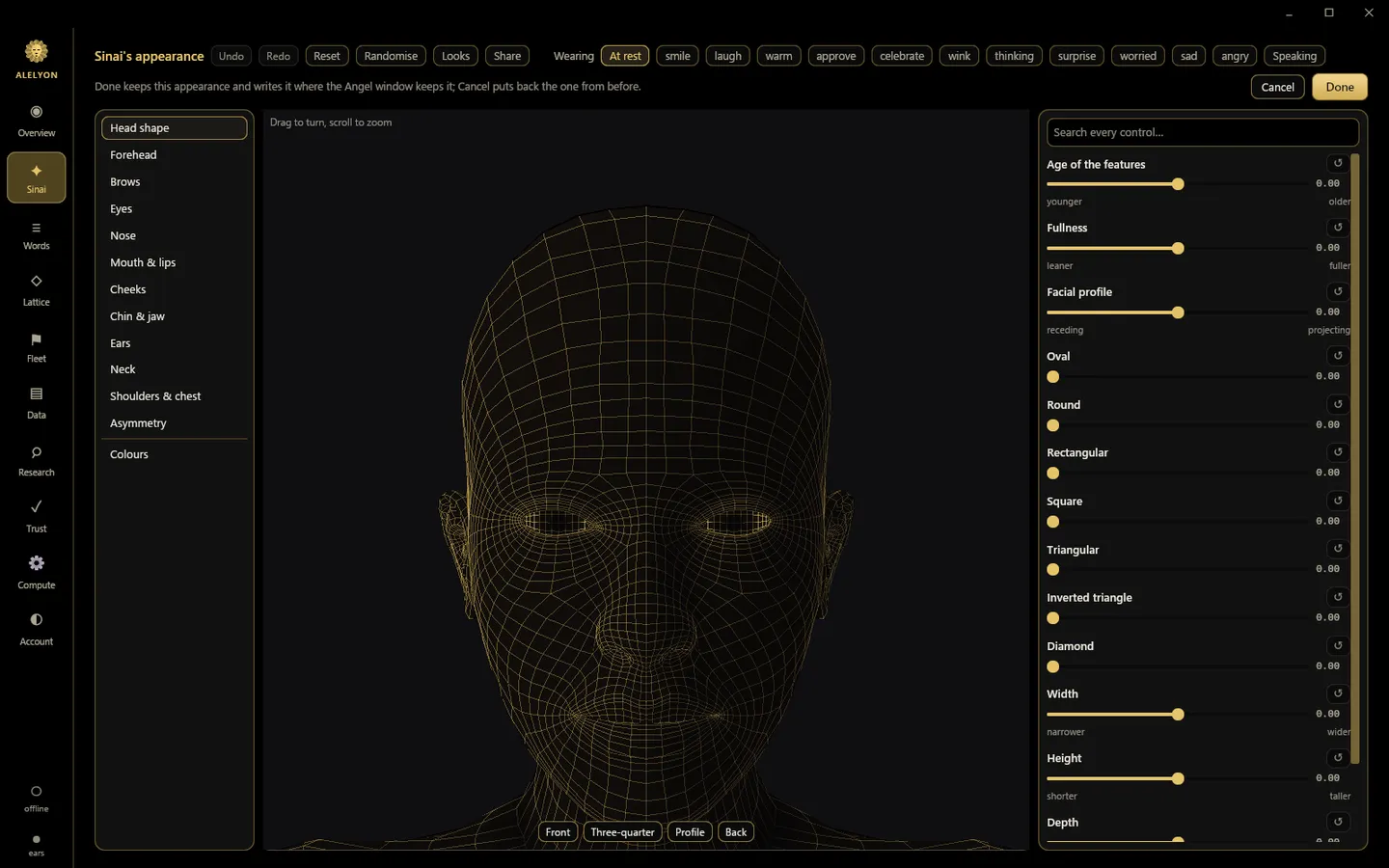
Sinai’s appearance creator: its gold wireframe face with feature, expression and shape controls.
Real app screen · demo content · development build, 9 Oct 2026
Social

Build with your people.

Add friends, see who is online and chat, in the app and on the web.

  • Live presence
  • One-to-one chat
  • Email never shown
Friends on the web

Friends: who is online, requests, and one-to-one chat. This panel needs JavaScript.

Built-in guardrails

You stay in control.

  • Review every change

    Keep or undo the agent’s edits by part, by file or all at once.

  • Approve before it acts

    Commands, tools, posts and purchases ask you first.

  • One-key stop

    Ctrl+Alt+End stops every running turn, from any program.

  • Works offline

    Local models, your files, the IDE and saved research.

  • Zero telemetry

    No usage analytics, no tracking.

  • Keys in Windows

    API keys live in Windows Credential Manager.

  • Sealed sessions

    “Stay signed in” is sealed to your Windows user.

  • Nothing types for you

    A model never types in your terminal or presses Save.

Security and privacy
Roadmap

Coming next.

  • In development

    Sinai’s own mind

    The assistant model at the centre of the lab’s work. Its face ships today; its mind is not in any build yet.

  • In development

    Sub-bit models

    Large models in consumer GPU memory. Quality is not yet measured, so no claim is made.

  • In development

    More open source

    The app shell, Lattice, Sinai’s face and the simulator, as public mirrors, piece by piece.
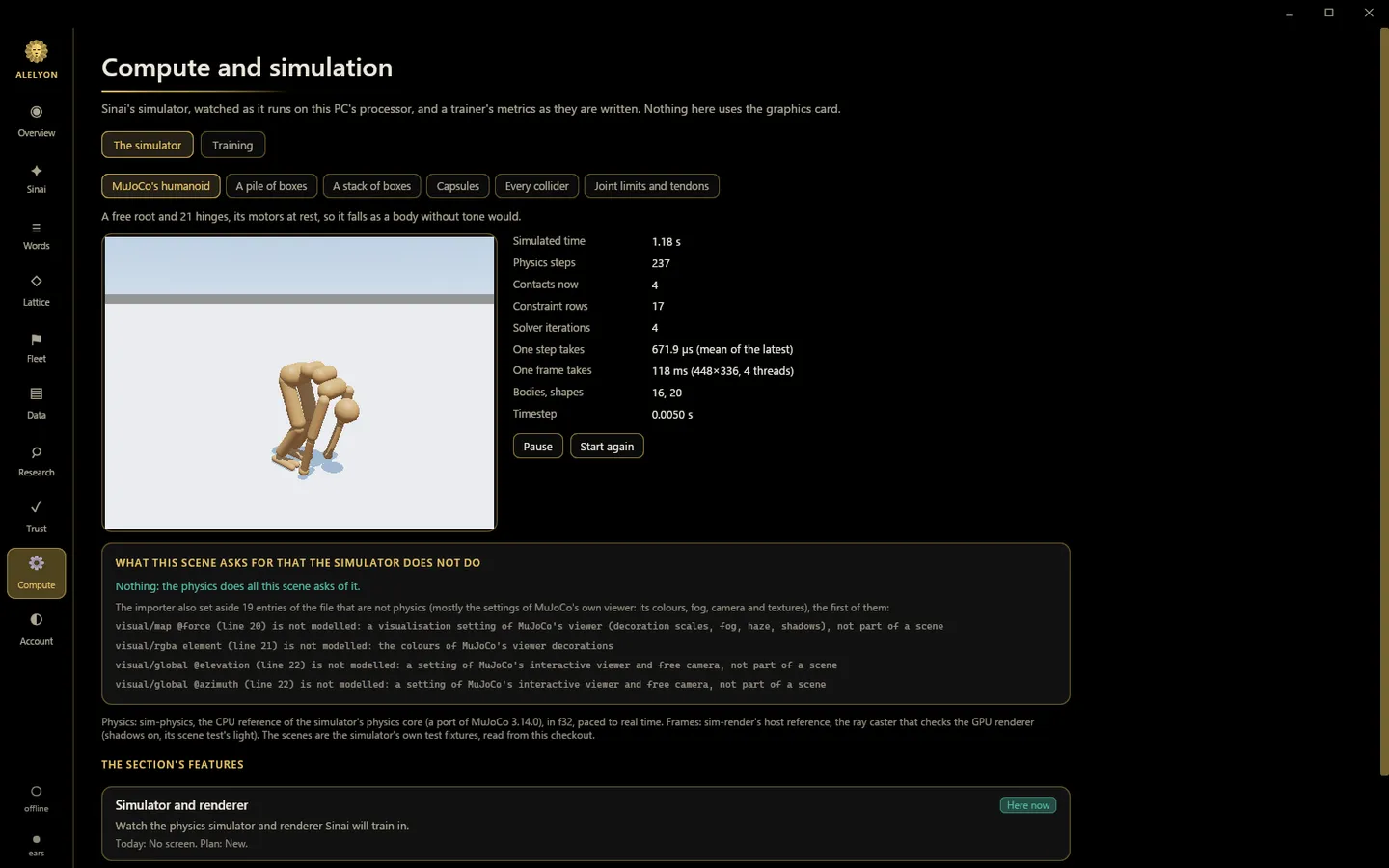
The simulator on the Compute page of the Alelyon app, running MuJoCo’s humanoid scene on the processor, mid-fall.
The simulator today, on the app’s Compute page. It is planned to grow into the world Sinai learns in.Real app screen · demo content · development build, 9 Oct 2026
Builds

Official or open source.

Official build Installer

With Alelyon’s closed plug-ins: receipt replay on the lab’s engine, voice, and later Sinai’s own mind.

Open build Source

Only what is public. It checks a receipt’s signature, data and records, and never marks one verified without the replay engine.

Requirements

System requirements

Windows
Windows 11, 64-bitWindows 10 is not tested yet.
Graphics
AnyWithout a GPU the sign-in scene is a still picture; the rest is the same.
Local models
OptionalA GPU with enough memory for the model, or a patient CPU.
Agent browser
Edge or ChromeOnly if you turn it on. Edge ships with Windows.
Internet
Only what you chooseSign-in, friends, hosted models and research searches.
Account
Optional“Use offline” skips it.
Good to know

The fine print

Lattice
Commands, tools and file writes ask first unless you allowed them. A model off your computer sees what you send it.
Models
A hosted model runs under its provider’s terms and prices; Alelyon does not resell or proxy it.
Research
OpenAlex needs a free key for real use. The archive stays on your computer.
Sinai
Sinai’s own model is in development and not in any build; until then it uses the model you pick and says which.
Friends
Friends needs an Alelyon account and the live service. Messages are stored on Alelyon’s server in plain text: they are not end-to-end encrypted.
Provider names
Names are the providers’ own; Alelyon is not affiliated with them.
What’s new

Recently shipped

  • The sign-in screen's gold, on every page
  • Background commands
  • Hosted open models
  • Settings over any page
Full changelog
FAQ

Questions

  • What is Alelyon?

    An AI lab, and the Windows app it builds for working with AI: Lattice (an AI code editor with an agent), local and cloud models, a research assistant, the assistant Sinai, and friends.

  • Is Alelyon free?

    Nothing on this site asks for payment: the app and an Alelyon account cost nothing today, and no price has been set for later releases. This page will say so before one applies.

    Models you bring can cost money through their providers, or through your Claude or ChatGPT plan when you use Claude Code or Codex.

  • Does it work offline? Do I need an account?

    No account is needed. Choose “Use offline” at sign-in and everything on your computer works: your models, files, the IDE and saved research. An account adds friends and Alelyon’s hosted preview; sign in with GitHub, Google, Hugging Face or LinkedIn.

  • Is my code private? What leaves my computer?

    Only what you send to a service you chose: a prompt to a hosted model, a search to OpenAlex or arXiv, a message to a friend, a sign-in to Alelyon. On its own, the app only asks Alelyon’s sign-in service whether it is up, with no account details. There is no analytics or telemetry, and with a local model through llama.cpp your prompts never leave your computer.

All questions

Ready when you are.

Choose your beta

One build. Two tiers.

The Windows build downloads with no sign-in, no LinkedIn and no key. Which tier you are in is decided when the app signs in: without a beta key you run everything locally, and a key — issued automatically to a signed-in, LinkedIn-verified account — is what adds Alelyon’s hosted DQC-OS.

Open beta

Run the app without a beta key.

There is one build, and this is the same one the closed beta uses — the tiers differ at sign-in, not at download. Sign in without a beta key and you get the local tier: Terminal UI, Lattice workspace, local calculator, and visible tool traces. A beta key is what adds hosted DQC-OS issuance.

  • Local-first Windows interface
  • Open Alelyon toolkit and source
  • No hosted backend entitlement
The build is not being served yetOpen source toolkit
Closed beta

Verify identity with LinkedIn to unlock hosted DQC-OS.

LinkedIn OpenID Connect verifies control of the LinkedIn account; Alelyon does not scrape your profile. It records a verified access request, and when you verify from your signed-in account page, your hosted DQC-OS key is issued automatically — no review, no queue, nobody to wait for. It does not create or sign you into an Alelyon account, and an anonymous verification issues no key: the key needs a signed-in account to attach to.

  • Everything in the open beta
  • Hosted deterministic DQC-OS calculations, unlocked by your key
  • Signed envelopes and certified answer paths

Signing up uses Alelyon’s own email-and-password account flow, which is separate from LinkedIn verification below. One Alelyon account signs you in to every Alelyon application, and it keeps working until you delete it. Verifying with LinkedIn comes next and links that identity to this account.

Verify with LinkedIn

Verify from your signed-in account page and your hosted DQC-OS key is issued automatically — it appears on that page the moment verification completes. Copy it into a password manager and enter it when Alelyon Terminal asks during sign-in; if it expires, opening your account page issues a fresh one.

Available now

Ask, and a person reads it.

Prefer to talk to someone first, or need access sooner than the self-serve paths allow? Ask directly.

Nothing about access waits on a person. The build downloads with no sign-in and no key; a hosted DQC-OS key is issued automatically when a signed-in account verifies with LinkedIn, and it appears on that account’s page. This address is for everything else — questions, problems, deletion requests, and anything a page cannot answer. It is read by a person, so no response time is promised.

Do not include credentials, account numbers, API keys, or position data in the message.